Appearance
@inquirer/password
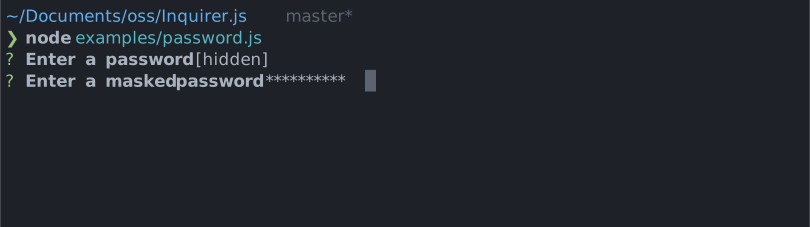
Interactive password input component for command line interfaces. Supports input validation and masked or transparent modes.
Special Thanks
Graphite is the AI developer productivity platform helping teams on GitHub ship higher quality software, faster
Installation
| npm | yarn |
|---|---|
sh | sh |
| Or | |
sh | sh |
Usage
js
import { password } from '@inquirer/prompts';
// Or
// import password from '@inquirer/password';

const answer = await password({ message: 'Enter your name' });Options
| Property | Type | Required | Description |
|---|---|---|---|
| message | string | yes | The question to ask |
| mask | boolean | no | Show a * mask over the input or keep it transparent |
| validate | string => boolean | string | Promise<boolean | string> | no | On submit, validate the filtered answered content. When returning a string, it'll be used as the error message displayed to the user. Note: returning a rejected promise, we'll assume a code error happened and crash. |
| theme | See Theming | no | Customize look of the prompt. |
Theming
You can theme a prompt by passing a theme object option. The theme object only need to includes the keys you wish to modify, we'll fallback on the defaults for the rest.
ts
type Theme = {
  prefix: string | { idle: string; done: string };
  spinner: {
    interval: number;
    frames: string[];
  };
  style: {
    answer: (text: string) => string;
    message: (text: string, status: 'idle' | 'done' | 'loading') => string;
    error: (text: string) => string;
    help: (text: string) => string;
  };
};许可
Copyright (c) 2023 Simon Boudrias (twitter: @vaxilart)
Licensed under the MIT license.